Sending receipts to my accountant from Emacs
Table of Contents
Living inside Emacs is a dream - email, git, project management, writing, coding all in one environment. But every so often, something forces you back to a web browser. Uploading receipts to my accountant through ClearFacts was one of those moments.
Every month, receipts and invoices accumulate that need to reach my accountant. ClearFacts provides an API for this, but the journey from documentation to working solution proved more interesting than expected.
The documentation puzzle
ClearFacts' developer documentation presents itself as a REST API with nice-looking endpoints. Click through to actually use one, and you discover it's GraphQL underneath. The REST endpoints don't work - everything goes through a single GraphQL endpoint.
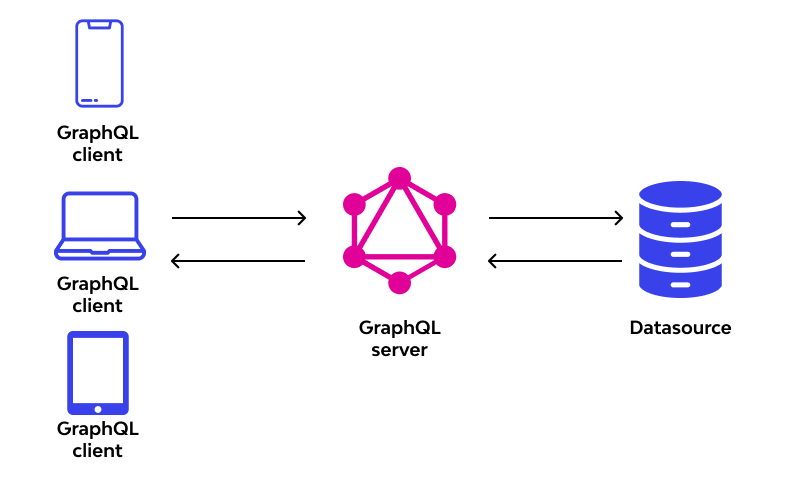
Fair enough, GraphQL is fine. Except the endpoint doesn't support introspection. For those unfamiliar, GraphQL servers typically expose their schema through introspection, letting tools automatically understand available queries and mutations. ClearFacts disables this.
The schema does exist in the documentation, but scattered across multiple pages. Each type, query, and mutation lives on its own page with its own navigation. Manually piecing this together would be tedious and error-prone.
Reconstructing the schema
An AI agent solved this efficiently. By feeding it the documentation pages, it reconstructed a complete, unified schema. Not something I'd want to do manually, but entirely straightforward for an LLM that can process multiple pages and understand GraphQL schema syntax.
The result: a single schema.graphql file containing all types, enums, queries, and mutations in proper GraphQL schema definition language.
The Emacs GraphQL client gap
Emacs has graphql-mode, which handles GraphQL queries well. It can send queries, display results, and integrate with endpoints defined in .graphqlconfig files. However, it lacked support for file uploads - a requirement for sending PDFs to ClearFacts.
The mode also expected a different format for multipart form data than what ClearFacts required. Pull request #69 addressed both issues, adding:
- Support for
graphql-upload-filesto specify files for upload - A
graphql-upload-formatvariable to choose between different multipart formats - Proper handling of the
form-dataformat that ClearFacts expects
Setting up the configuration
With the patched graphql-mode, the setup became straightforward. A .graphqlconfig file defines the endpoint and authentication:
{
  "name": "ClearFacts GraphQL Schema",
  "schemaPath": "schema.graphql",
  "extensions": {
    "endpoints": {
      "default": {
        "url": "https://api.clearfacts.be/graphql",
        "headers": {
          "Authorization": "Bearer YOUR_TOKEN_HERE"
        },
        "introspect": false
      }
    }
  }
}
The mutation itself lives in upload_file.graphql:
mutation upload($vatNumber: String!, $fileName: String!, $invoiceType: InvoiceTypeArgument!) {
  uploadFile(vatnumber: $vatNumber, filename: $fileName, invoicetype: $invoiceType) {
    uuid
    amountOfPages
  }
}
Variables go in upload_file_vars.json:
{"vatNumber":"0757675611","fileName":"Invoice.pdf","invoiceType":"PURCHASE"}Manual workflow with graphql-mode
Before automating everything, the basic workflow in graphql-mode works like this: open upload_file.graphql, position the cursor inside the mutation, and execute C-u C-c C-c. This prompts for a file to upload, then sends the mutation with the configured variables from upload_file_vars.json.
The C-u prefix argument tells graphql-mode to handle file uploads. Without it, C-c C-c just sends a regular query. With the prefix, it reads the graphql-upload-files variable and includes the files in the multipart form data request.
This works, but requires manually updating the fileName variable in upload_file_vars.json to match the actual file being uploaded. The filename appears in two places: as the file being uploaded and as a GraphQL variable. Keeping them in sync manually gets tedious.
Literate automation with Org mode
The literate Org mode solution (commands.org) automates the synchronization. An Elisp source block prompts for the file, updates the GraphQL variables with the filename, and sends the mutation:
(let* ((file-path (read-file-name "Select file to upload: "))
       (file-name (file-name-nondirectory file-path))
       (vars-file "upload_file_vars.json")
       (vars (json-read-file vars-file)))

  ;; Update fileName in variables
  (setf (alist-get 'fileName vars) file-name)
  (with-temp-file vars-file
    (insert (json-encode vars)))

  ;; Upload the file
  (with-current-buffer (find-file-noselect "upload_file.graphql")
    ;; Load endpoint from .graphqlconfig
    (let ((config (json-read-file ".graphqlconfig")))
      (let-alist config
        (if-let ((endpoint (cdr (assq 'default .extensions.endpoints))))
            (let-alist endpoint
              (setq-local graphql-url .url)
              (setq-local graphql-extra-headers .headers)))))

    ;; Configure file upload
    (setq-local graphql-upload-format 'form-data)
    (setq-local graphql-variables-file vars-file)
    (setq-local graphql-upload-files `(("file" . ,file-path)))
    (graphql-send-query))

  (message "Uploading file: %s" file-name))
Execute the block with C-c C-c, select a file, and it uploads. The literate programming approach keeps the logic clear and modifiable - no hidden automation, just explicit steps in an executable document.
The payoff
What started as "I need to send receipts to my accountant" became a small exercise in API archaeology, tool patching, and Emacs integration. The result is faster than logging into a web interface and more reliable than remembering to batch uploads.
One less reason to leave Emacs. The dream of living entirely within one environment gets a little closer with each workflow automated away from web interfaces.