An introduction to my IBM/Lenovo ThinkPad addiction
Over 10 years ago I got my first ThinkPad x60. I got interested in free software by reading the about GNU page in the GNU Emacs editor. Free software back then and certainly now is quite usable, typically without much closed-source software. One area where free software is lacking is firmware and this led me to want to try libreboot on that ThinkPad x60. A few years forward and I became a coreboot contributor and eventually got a job at 9elements because of this. In that journey I amassed quite a hefty ThinkPad collection. I wanted something that was speedier and 64-bit so I got a ThinkPad x200 which I ran for a few years. I got a ThinkPad x220 a few years later, as the Sandy Bridge chip is substantially faster than the Core 2 Duo inside the x200. To port or improve existing coreboot ports I received a ThinkPad x201 and R500. A few years back someone figured out a way to get past Boot Guard (deguard ) on Intel Skylake/Kabylake, so I got myself a ThinkPad t480 and I'm very happy with it.
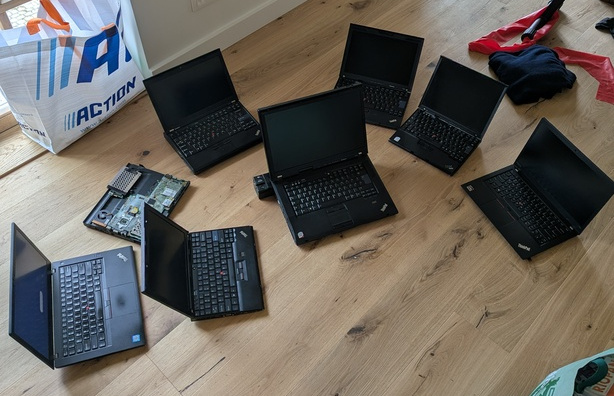
Along that ThinkPad hoarding journey one generation was missing: the ThinkPad x61. It has a GM965 northbridge and an ICH8 southbridge. The northbridge is somewhat similar to GM45 (supported on ThinkPad x200) except being DDR2-only and the ICH8 southbridge is somewhat similar to the already supported ICH9. There are no leaked docs out there on this platform so reverse engineering would be the only way. Some people attempted this in the past using tools like SerialICE which runs the firmware in QEMU and forwards IO and MMIO to the actual hardware, but they didn't manage to produce a working coreboot port.
So my dream was to eventually port it.
AI assisted reverse engineering
In March I was experimenting with using LLM technology more in my workflow. For quickly prototyping ideas it works rather well, but I was wondering how well it would fare with reverse engineering. Note that I was using Anthropic's Claude Opus 4.6 which was the state of the art at the time.
It turns out they are a great tool at speeding up the process. Normally reverse engineering requires quite some dedication. 3-6 months for porting this whole platform (gm965/ich8 for x61) is not out of the question. That's time I for sure don't have for this purpose. TL;DR I tried it out on a downloaded vendor BIOS, the results looked great. After that I bought the device and got it working. The following explains the process of how that went.
Traditional dumping of information from the vendor BIOS
Before trying to understand what the vendor firmware does I first wanted to dump as much information as possible from a working system. Known good values are extremely valuable when something does not work as intended: when DRAM does not train or USB suddenly stops working it is very useful to have a reference to compare against. It also gives good hints for parts of the platform, like the EC settings, ACPI tables, PCI configuration, GPIO pinout and the HDA verb tables.
For that I used the usual coreboot tools.
inteltool gives a good overview of PCI configuration space as well as pretty much all northbridge and southbridge registers.
lspci is still useful as a quick sanity check of how Linux sees the machine.
For ACPI I dumped the tables with acpidump, split them with acpixtract and decompiled them with iasl -d.
That gives a readable view of how the vendor firmware describes devices, power management and EC methods to the OS.
ectool was useful to look at EC RAM and behaviour, since ThinkPads tend to hide a lot of board-specific details there.
I also saved the CPU information and the HDA codec information, because those are easy to lose track of while staring at firmware code.
Setting up the AI agent tools and some firmware findings
The x61 uses a Phoenix BIOS, so the first step was to split the image into separate modules with bios_extract.
After that I gave the AI agent a few tools it could use directly.
The most useful one was ghidra-cli, together with its SKILL.md, so it could ask Ghidra questions without me driving the GUI all the time.
I also used a radare2 skill, because radare2 is quite pleasant for the older 16 bit real mode parts of the firmware.
This distinction mattered because most of the firmware is 16 bit real mode code, but the raminit itself is a PE32 module that looks like it came from Intel MRC, the Memory Reference Code.
For that part ghidra-cli worked much better, because the original code was probably C and the decompiler output was actually useful.
For the surrounding glue code radare2 was often what the AI agent had better success with.
One thing that surprised me was finding at least 3 versions of raminit in the image. My guess is that this is some kind of A/B layout with a read-only recovery copy. The RO copy skips a lot of the normal raminit flow and is probably only intended to recover the machine far enough to reflash the rest of the BIOS. This matches documented Lenovo ThinkPad behaviour where the top 64K of the flash is write-protected for recovery purposes.
Vibe reverse engineering
The LLM was able to extract all of the raminit initialization sequence. Based on that a coreboot port was written. 2 prompts, done. I wasn't even looking at the code since I was blasting steroids doing a workout at the gym and when I got back it worked on first try.
Mind blow!

LLM assisted reverse engineering
The previous section was a complete lie.
The model needed a ton of hand-holding. I have rather deep knowledge in similar platforms and have intimate knowledge of all of the details that are required to boot both the next (x200) as well as the previous gen (x60). This was crucial for this endeavor to have succeeded. I wrote down on paper the over 20 items where I had to steer the model based on prior work for the purpose of this blog post. Good intentions only get you halfway there as I lost the paper… So here is my recollection of a subset of what was needed:
- The ThinkPad x61 has a GPIO mux for SMBUS on GPIO42, so only SPD or EEPROM is visible. When the OS is booted only the EEPROM is visible, not the SPD.
- The memory controller supports DDR2 533MT/s and 666MT/s, not 666MT/s and 800MT/s, and decoding the hardware registers accordingly is important
- The GMCH FSB frequency needs to be read from a MCHBAR register, not from some PCI register
- A lot of wrongly sized register read/writes: writing a 32bit value to a 16bit register might trash the upper 16bit that needed to remain untouched
- CAS semantics of how we encode it typically in coreboot vs how MRC does it, the model got confused about this a lot
- The multiple raminits in firmware also confused the model a lot
- … things that will only be known by garbage collection people assuming they read whatever they collect (unlikely)
Just like regular human reverse engineering, doing thing like traces and dumps of values and comparing them with was useful in tracking down a lot of the issues. Here the prior work by Lubomir Rintel who traced the raminit with SerialICE also turned to be useful (somehow getting SerialICE to work is not easy), here is an example of raminit trace.
Workflow of how I flashed and tested things
Needless to say this didn't boot on first try.
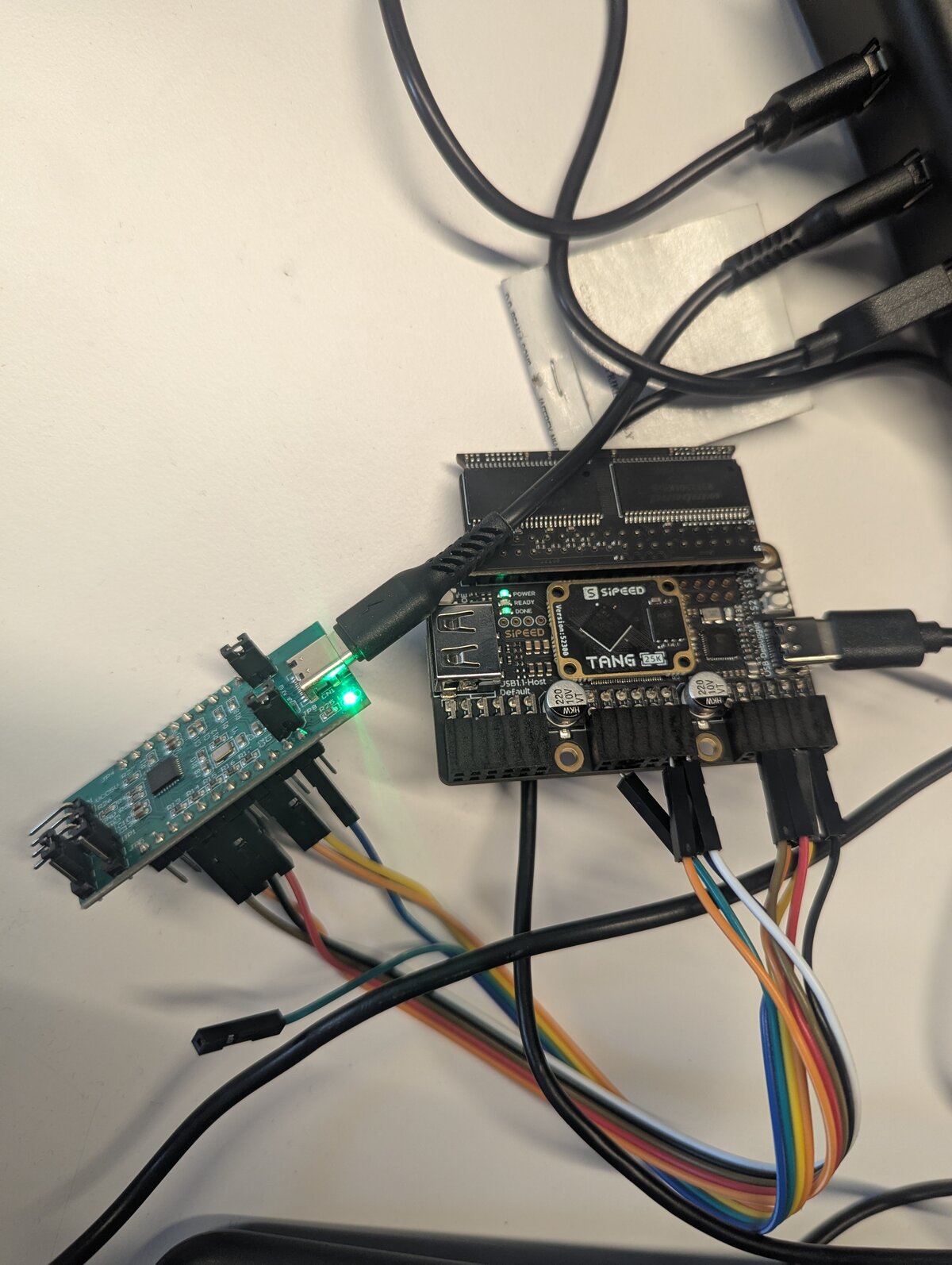
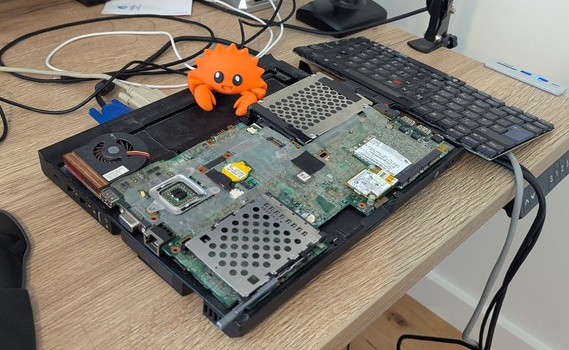 My setup to be able to test and flash was the following: the board has a docking station with an RS232 UART connector that the ThinkPad x60 is also compatible with.
The code to get that working is identical. It's the white connector on the picture.
My setup to be able to test and flash was the following: the board has a docking station with an RS232 UART connector that the ThinkPad x60 is also compatible with.
The code to get that working is identical. It's the white connector on the picture.
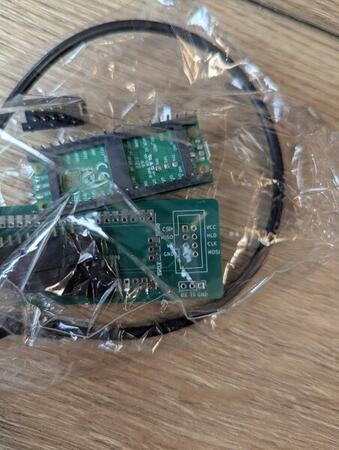
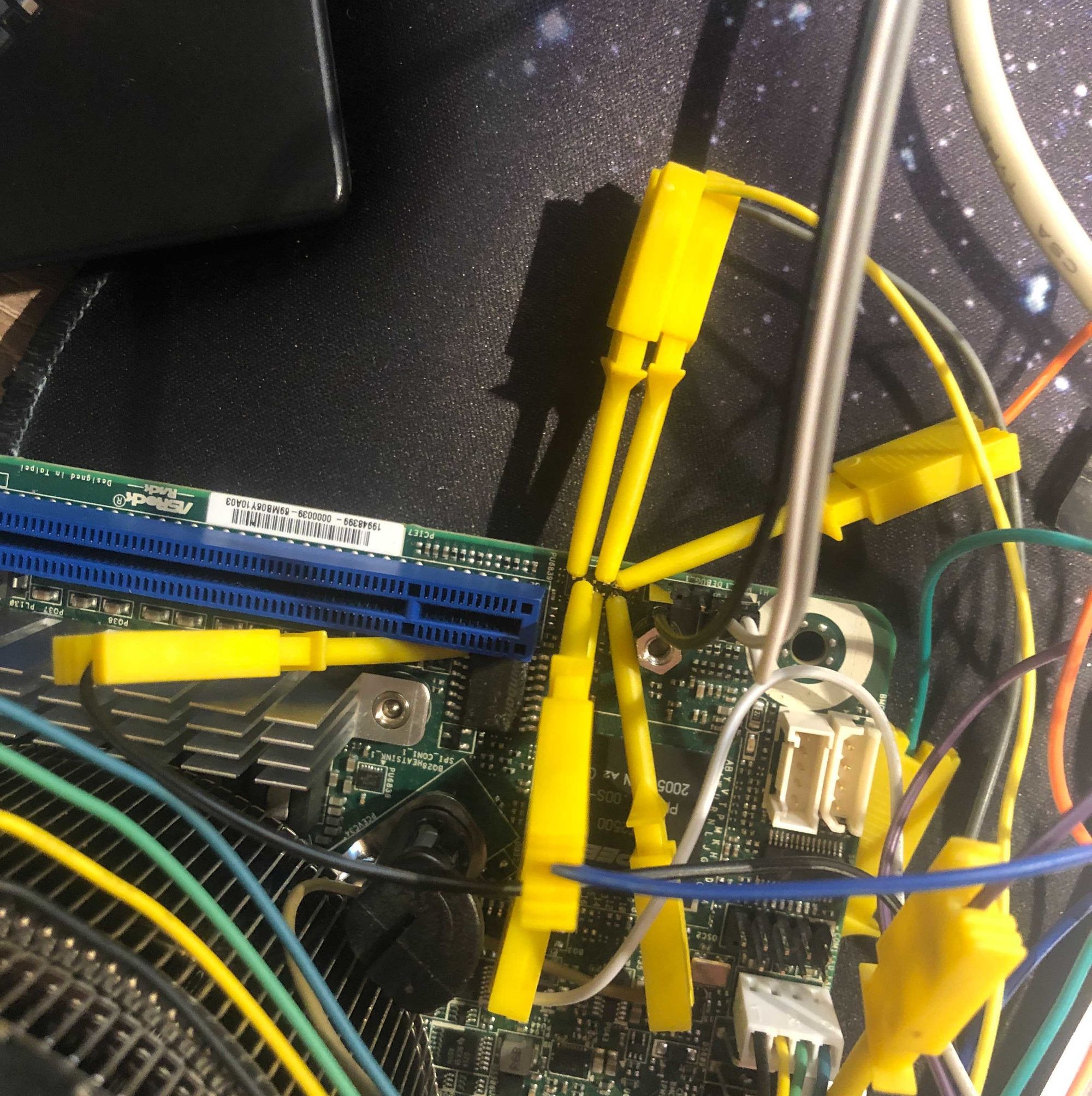
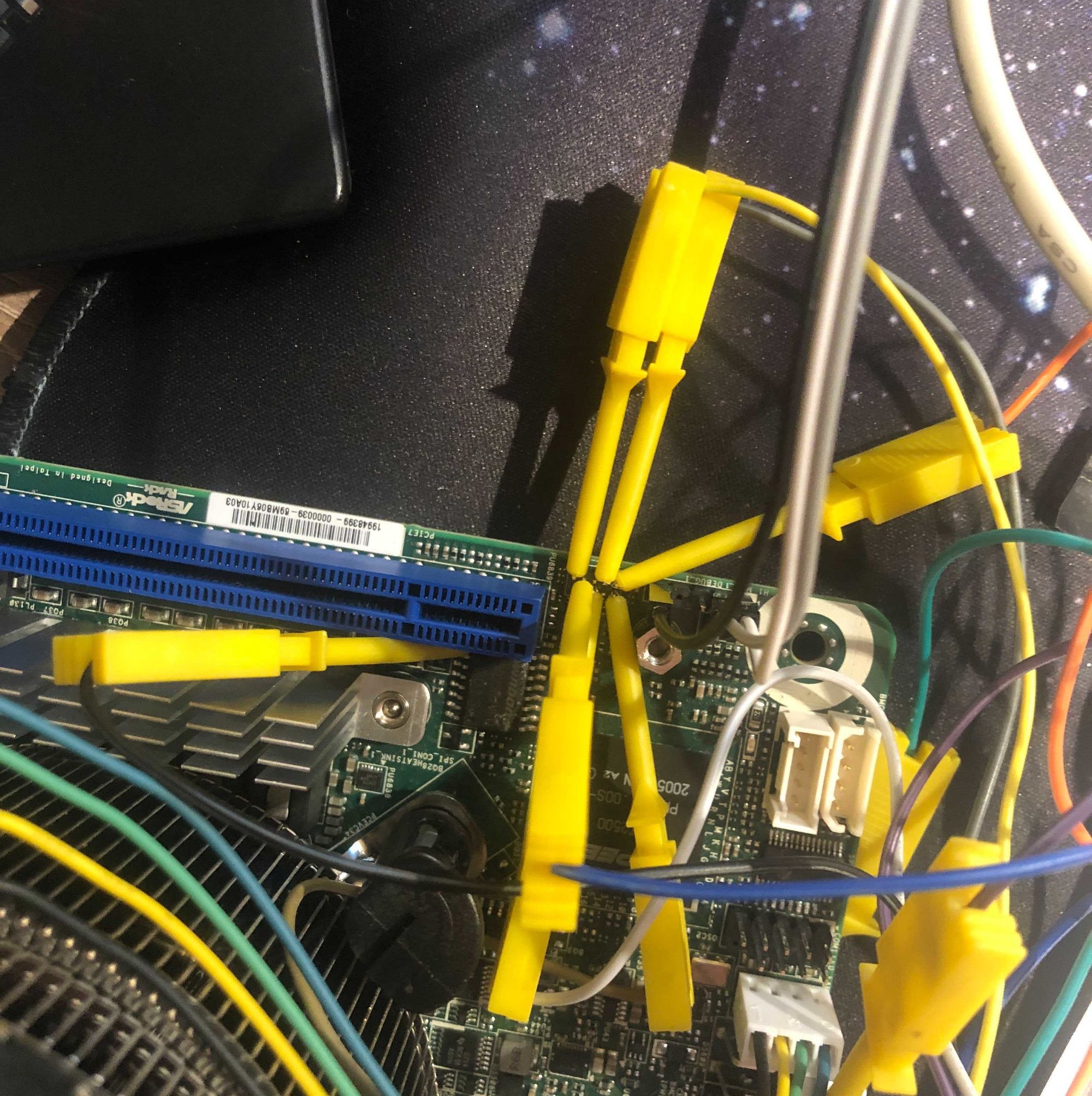
To flash it I would take the board out of the docking station and attach a clip to the flash that is on the bottom of the board. Note that the chip is SOIC8 not SOIC16 like the clip would suggest (the larger pins conveniently work for smaller chips). This board also features Intel descriptor, GBE, and ME regions. I didn't touch this for the time being. Use flashprog with the following flags to do that.
flashprog -p ch341a_spi --ifd -i bios -w build/coreboot.rom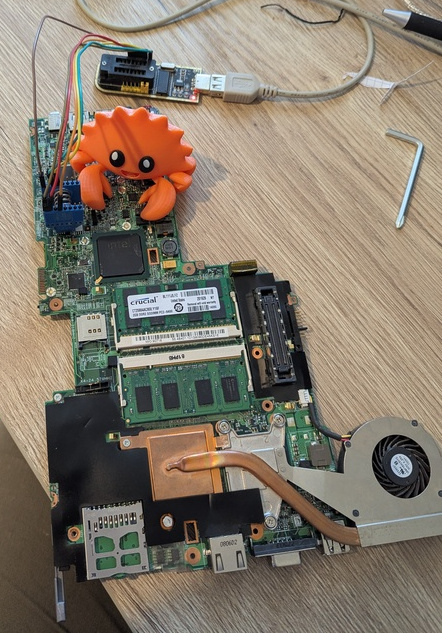
Note that like ich9 and ich10 it should be possible to reduce this to just the IFD + GBE and of course BIOS regions (so drop ME). This would result in more space being available for coreboot. disable ME firmware on ich9 laptops should roughly apply to X61.
Porting libgfxinit to GM965
Making libgfxinit work with GM965 was a breeze. This hardware is really similar to the next generation of hardware. It has somewhat different PLL clock limits and the GMS register for the stolen memory and GTT is slightly different. See https://review.coreboot.org/c/libgfxinit/+/91522 for the patch. For this I pointed the LLM agent to Linux which can fully modeset this hardware without the need for firmware and it transformed this into usable code in very little time. I think I only had to point out the different semantics of GTT, but that's it.
Upstreaming the code, fixing even more mistakes
So after a few days the code seemed to work quite fine with multiple DIMMs in different combinations. Time to upstream! Doing native raminit on x86 (in coreboot) is quite a lost art. One of the people enjoying this dark magic is Angel Pons. So I asked him if he would kindly review this code (he's a very thorough reviewer). To my eyes the code looked 'aight, but he has way better eyesight than mine at least with regard to code.
Here is a summary of what went wrong:
First of all the code sometimes just didn't know what hardware it was talking to.
Some register names were copied from nearby chipsets, some came from decompiler vibes and some were just wrong.
Angel pointed out a few cases where the datasheet really did say something else: wrong register names, reserved bits treated as real bits, wrong access sizes.
One good example was the GM965 0xa00 MCHBAR range.
The code initially had some hallucinated register block semantics. A closer look revealed it is much closer to the EP channel / ME stuff seen on other Intel chipsets.
The raminit also had actual bugs. Some timing tables were indexed the wrong way around, some bitfields had the wrong meaning and some calculations only worked by luck for the DIMMs I tested. Peak 'works on my machine' problems. This happened in quite a few other places: tons of code assuming thinkpad x61 in the southbridge:
- hardcoded init bits
- hardcoded device enable/disable that just fit the x61.
So thanks to Angel to help transforming this bring up hack into upstreamable chipset code.
The worst/most frustrating part of the review process had nothing to do with LLMs. It came from clangfmt. Both the LLM agent as well as Emacs were set up to use this by default. The results of this tool are not good to say the least in the coreboot codebase. I was fighting this tool more than it gave me benefits and so in frustration I sent a patch to just rip out the clang-format config out of coreboot.
So vibe reverse engineering won't be upstreamable without a real engineer anytime soon.
What will the future bring?
Cool, I ported coreboot to an almost 20y old laptop that is too slow and has too little RAM for modern use. I suspect these laptops to rise at least as much as DRAM prices did in the last months. I bought all of them on eBay and expect to make a huge profit!
AI assisted reverse engineering
Jokes aside, the goal of this was to test the reverse engineering capabilities of LLMs. I actually first downloaded the vendor firmware and only later bought the device because I was so impressed by the results that I had to try if it worked. The result is that it turns months of hard reverse engineering work into something that can be done in a few weeks. Note that this effort was done in a naive and inefficient way. For instance pointing the agent to existing code for register semantics as well as providing it with datasheets would have improved the quality dramatically and made the review process much smoother.
Now the real upshot here is that reverse engineering firmware which was previously a hard and time-consuming task becomes feasible. One area that I can think where this would be interesting is Intel FSP. No one likes it… Before it was too much effort to reverse engineer, with not enough positive upsides to justify the effort. Now that is no longer the case. FSP is 32bit PE code which ghidra is good at understanding and there are even plugins for UEFI FD images. Sure, USA citizens are not allowed to reverse engineer but EU citizens are explicitly allowed by law to do this. IANAL so take this however you like except as solid legal advice. So who knows? Maybe silicon vendors lose all incentives to do closed binary-only firmware as people will just figure it out regardless?
Port to fstart
I'll end with a little teaser: I also ported this platform as one of the first real x86 platforms that are supported by fstart, a coreboot/u-boot alternative written in Rust. More on that will be announced later, as that project is currently a dirty experiment phase.